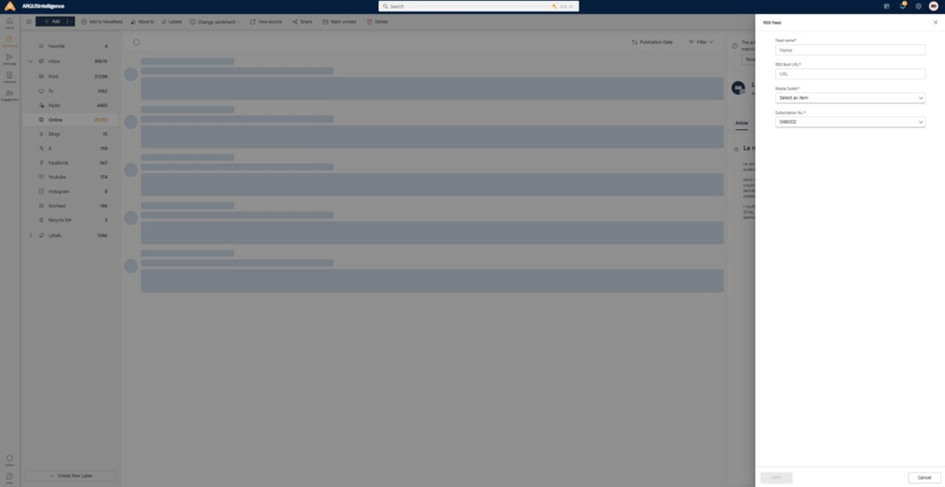
This section describes how to add a new RSS feed as an import source into your ARGUSintelligence platform. This allows the system to automatically collect articles from the specified RSS URL.
- Initiate the import process:
- Navigate to ARGUSintelligence > Monitoring.
- In the Monitoring main view, click the “+ Add” button located in the top left corner.
- A panel will open on the right, presenting a form titled New RSS Feed (as shown in the screenshot provided).
- Fill in the RSS feed details: complete the following fields in the Add RSS Feed form:
- RSS Feed Name: enter a descriptive name for this RSS import (e.g. Tech News Blog, Industry Updates, etc.). This name will appear in your imports list.
- RSS Feed URL: provide the complete and valid URL of the RSS feed you wish to import. Ensure the URL is correct to enable articles to be successfully fetched.
- Media Outlet: select the appropriate media outlet from the dropdown list. This categorises the incoming articles under a specific media source within your system.
- Subscription Number: enter the relevant subscription number associated with this RSS feed, if applicable.
- Confirm and save:
- After carefully entering all the required information, click the Save button at the bottom of the right-hand panel.
- The new RSS import will then be added to your list of existing imports and will begin fetching articles according to its configuration.